Church presentation software for the Mac

Sunday runs smoother when the slides just work

Lyrics, sermons, video and a stage display from one simple window, plus a free iPad and iPhone remote your pastor can actually use. One license covers every Mac at your campus.

Download the free trial See it in action

30 days freeEvery featureNo card needed

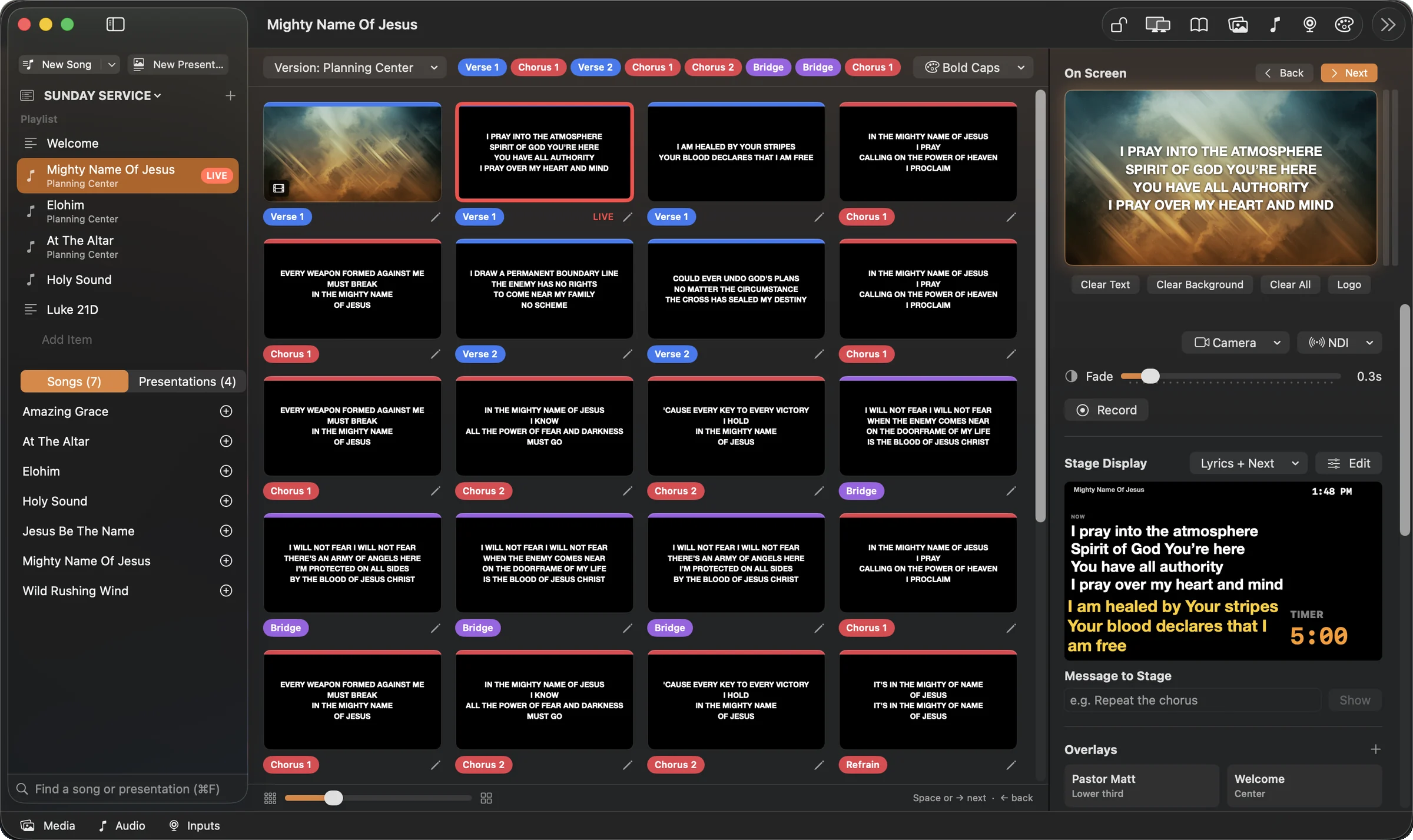
Lantern running a Sunday service: playlist on the left, slides in the middle, the live screen and stage display on the right
Works with Planning CenterSongSelect lyric filesiPad & iPhone remoteNDI for live streamsBuilt for Apple silicon

How Sunday goes

From the order of service to the last amen

Build the service

Pull the plan from Planning Center, or add songs, scripture, announcements and media yourself. Paste lyrics and Lantern makes the slides.

Hand the pastor a remote

The free Lantern Remote app finds your Mac on its own. Speakers see their slides and notes and drive them from the stage.

Click, and it's on screen

Click any slide to show it. No separate go-live step, with Clear, Logo and a confidence monitor one click away.

Built for the volunteer at the computer

Everything for Sunday, nothing in the way

Songs in seconds, not tonight's homework

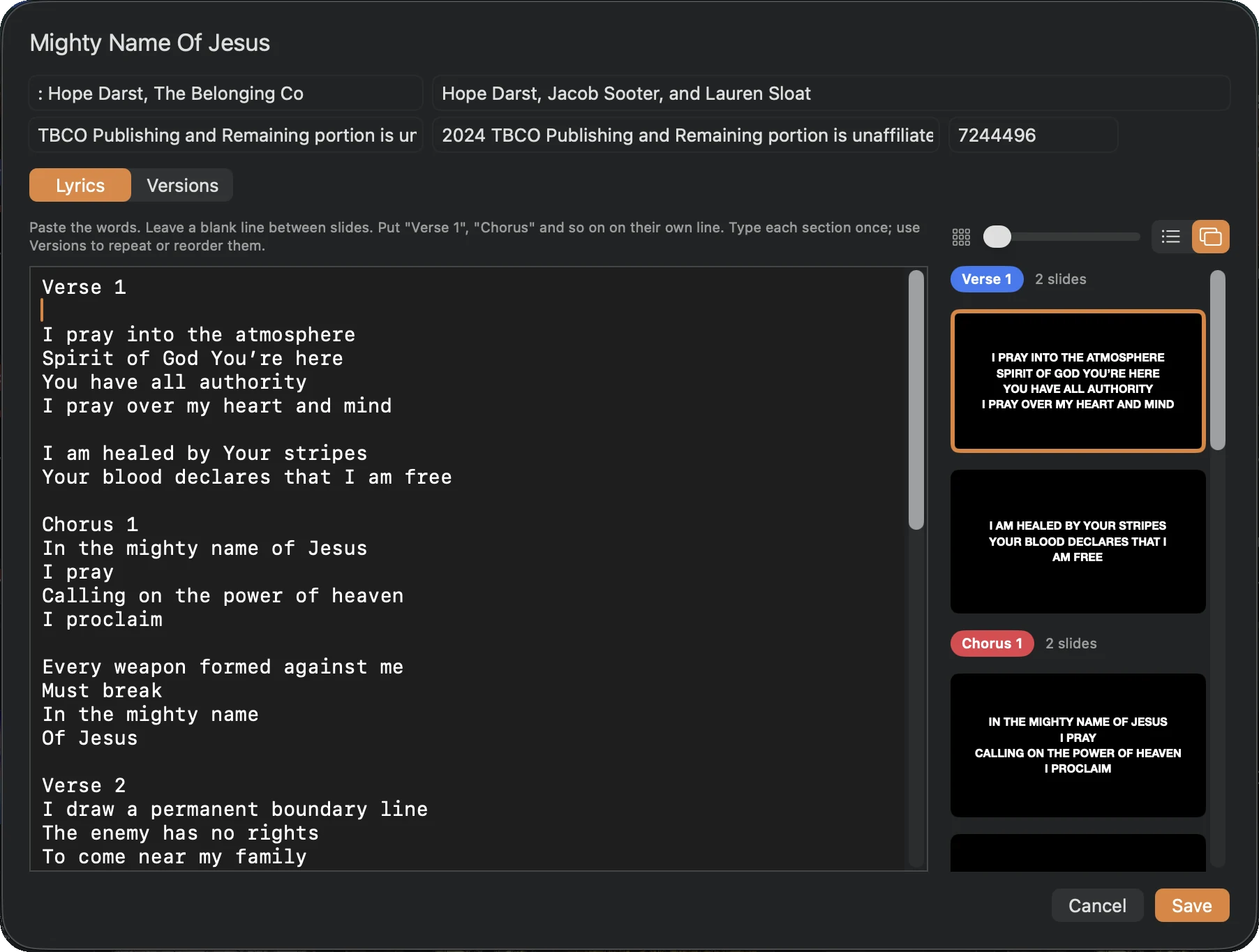
Paste the words, label Verse 1 and Chorus, and the slides are done in your theme. Build the order the band really plays, as many versions as you need.

  • Import SongSelect files, PDFs and Planning Center
  • Color-coded verses, choruses and bridges
  • Song details kept for CCLI reporting
The Lantern song editor with lyrics on the left and slide previews on the right

A remote your pastor will actually use

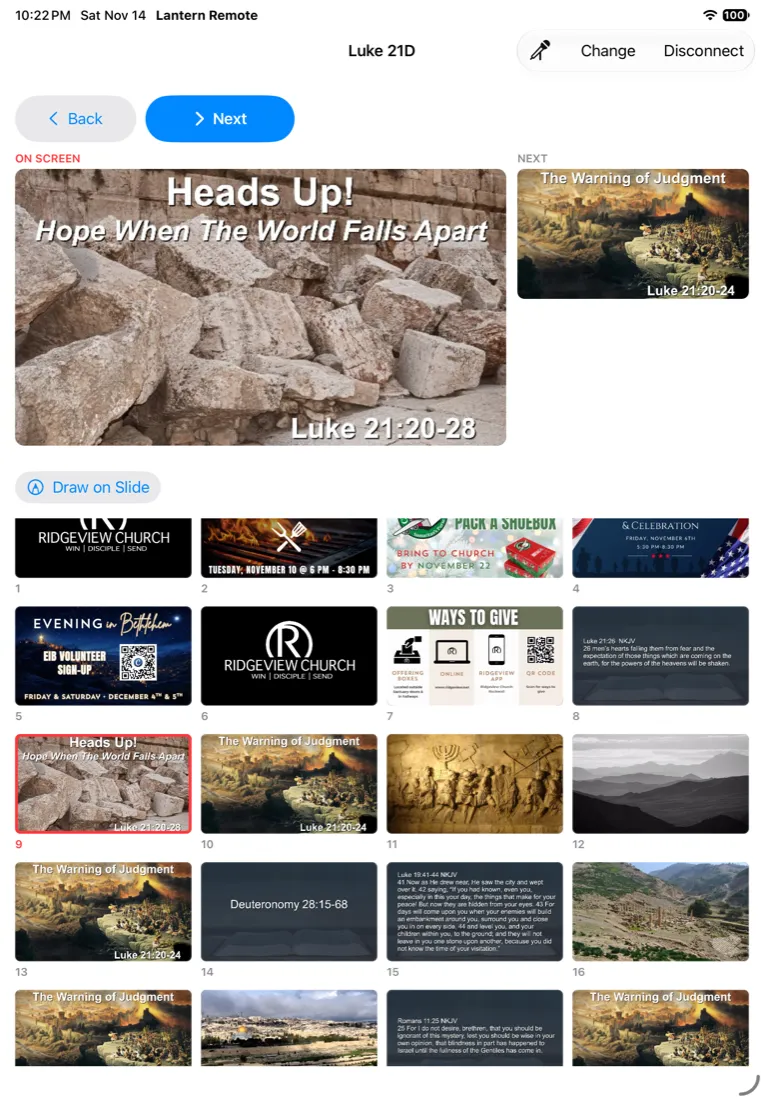
Lantern Remote for iPad and iPhone finds the Mac on your Wi-Fi with nothing to type, reconnects on its own, and shows the slide on screen, the next one, and every slide in the sermon.

  • Free on the App Store
  • Speakers drive only their own part of the service
  • Back and Next always within reach on stage
Lantern Remote on an iPad, upright, running a real sermon: the sermon title slide on screen, the next slide beside it, and the sermon's picture and scripture slides below

Sermons from any computer

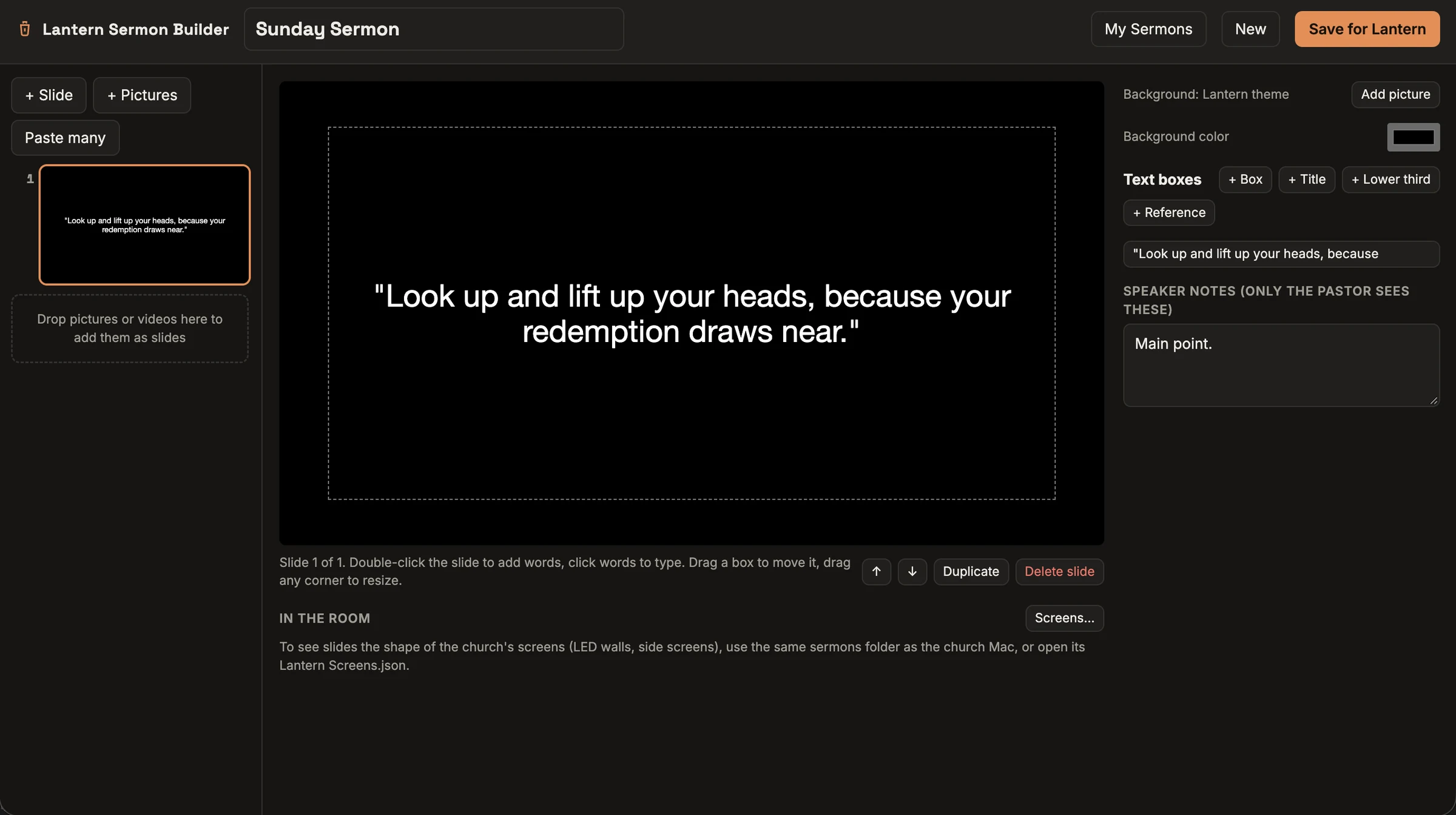
Pastors on Windows or Mac build their sermon in the free Sermon Builder in their web browser and send it to Lantern. No Mac needed to write it.

  • Scripture, points, pictures and notes
  • Saves to their own Google Drive
  • Arrives in Lantern ready to run
The Lantern Sermon Builder in a web browser

Every screen, its own job

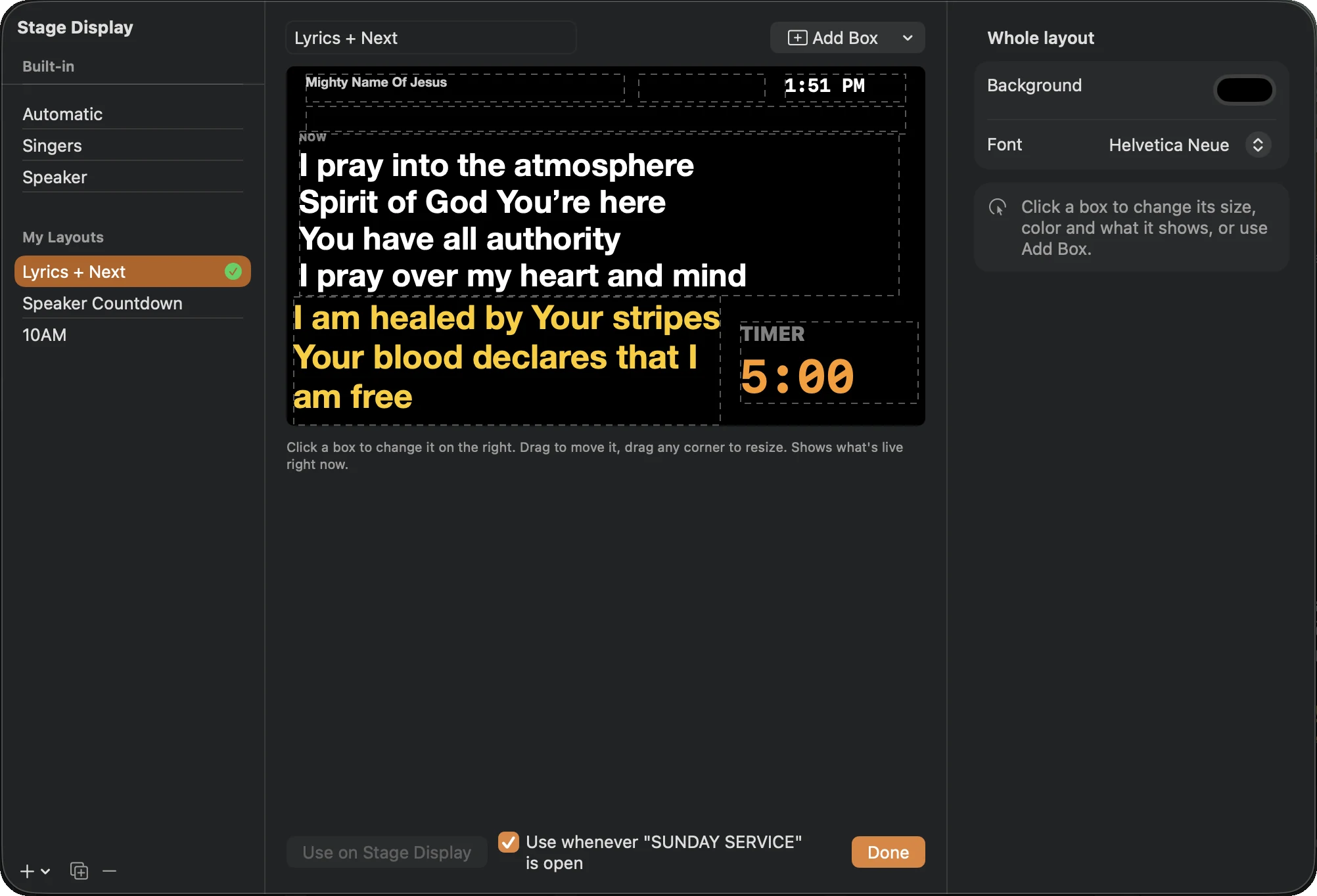
Send the audience slides, a stage display and a confidence monitor to separate outputs. Singers see the current line, the next line, the clock and a timer.

  • Lay out the stage display your way
  • Video backgrounds that keep playing as lyrics change
  • NDI output for your live stream
The Lantern stage display layout editor

Take the tour

See it in action

Real screenshots of Lantern. Tap a numbered dot to see what each part does, or tap the picture to zoom in.

    And the rest of Sunday

    The details that save you on a busy morning

    Bible built in

    KJV and BSB are included and work offline. Connect ESV or API.Bible for more translations.

    Video and audio cues

    Play once, loop, or move on automatically, with play, pause and volume under the live screen.

    One media bin

    Announcements, backgrounds, videos and PDFs in folders. Drag files straight in.

    Timers and countdowns

    Count down to service start on the stage display or the main screen.

    Clear in one click

    Clear the words, clear everything, or show your church logo, instantly.

    Works offline

    Activate once, then run with your local presentations and media. Online extras need a connection.

    Our story

    Made by a worship pastor

    Lantern is made by Jeff Lowe, a worship pastor, for the volunteer at the computer and the pastor on the stage: a remote that finds the Mac on its own and stays connected, slides that are quick to build, and one price for your whole campus.

    Simple pricing

    One price per campus. Every Mac included.

    No per-computer or per-operator fees. Run as many Macs as you need, each with its own presentation at the same time.

    Best value

    Campus, yearly

    $249 / year

    One campus, unlimited Macs and users.

    Campus, monthly

    $24.99 / month

    One campus, cancel any time.

    Additional campus

    $149 / year each

    Each extra physical location on the same account.

    The first 100 churches get $50 off every year with the founding code. Prices are in US dollars, and tax-exempt churches can send their certificate.

    Buy a license Try it free first

    A campus means one place you meet

    Read the terms of sale and license

    What you need

    Questions

    Good to know

    Is the free trial really the whole app?

    Yes. Every feature for 30 days, with no card needed. Your songs and presentations carry straight over when you buy a license.

    Our pastor uses Windows. Will that work?

    Lantern itself runs on a Mac, but the Sermon Builder runs in any web browser on Windows, Mac or Chromebook, and sends the sermon to Lantern.

    Do we pay for each computer?

    No. One campus license covers every Mac and every operator at that campus. You only pay again for another physical location.

    Can we bring in our songs?

    Yes. Import SongSelect lyric files and PDFs, pull songs and plans from Planning Center, or paste lyrics and let Lantern make the slides. Keep your own CCLI license for the songs you use.

    What if the internet goes down on Sunday?

    Lantern runs offline after you activate it once, with your local presentations and media. Online extras like cloud folders and online Bible services need a connection.

    What happens if we stop paying?

    Lantern keeps working for 30 more days. After that a small "Unlicensed" mark appears on the audience screen. It never locks mid-service, and your files are always yours. See the terms and refund policy.

    Light up this Sunday

    Download Lantern, build your service tonight, and run it in the morning.

    Download the free trial Buy a license

    30 days freeNo card needed